Headless CMS vs Traditional CMS: Which Fits Your Site?
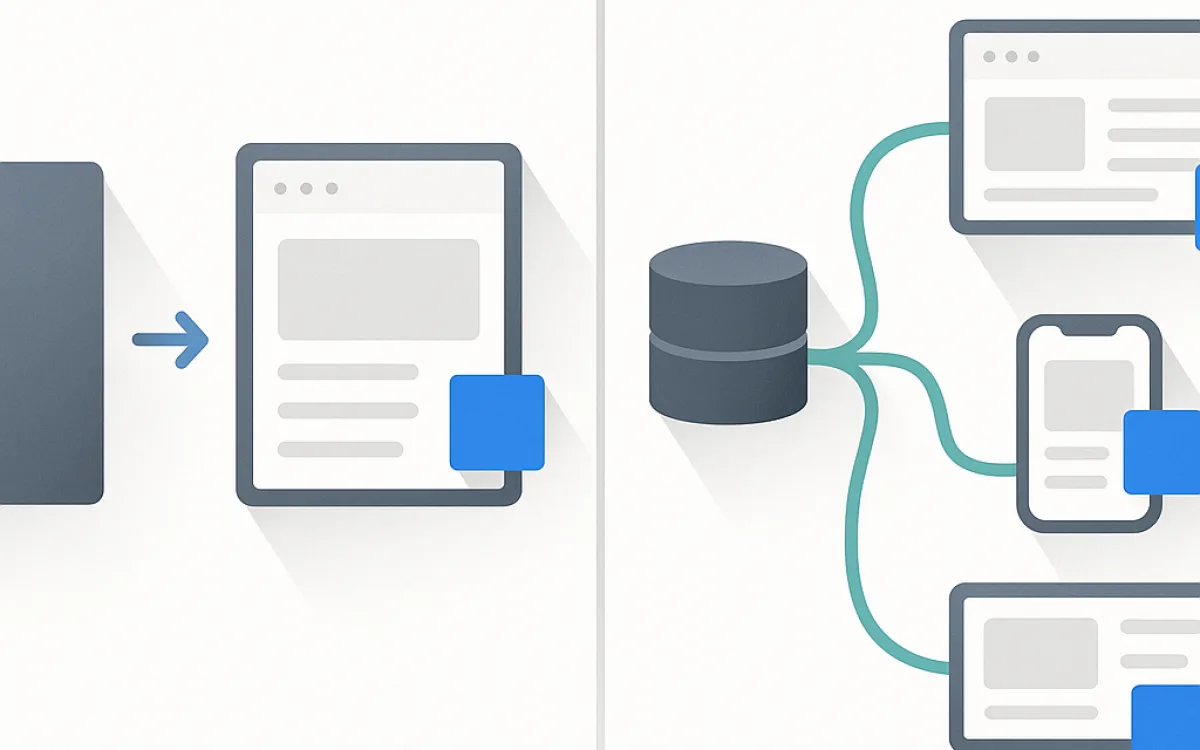
A traditional CMS stores content and renders the pages. A headless CMS stores content and hands it over through an API, leaving rendering entirely to you. That single difference cascades into everything: preview, cost, team structure and how quickly a marketer can change a page.
This guide covers what you gain, what you lose, and where the middle ground sits.
The actual difference#
Everything else follows from where rendering happens.
| Traditional | Headless | |
|---|---|---|
| Rendering | The CMS produces the HTML | Your front-end does |
| Templates | Inside the CMS | In your codebase |
| Preview | Built in and accurate | You have to build it |
| Channels | One website | Website, app, kiosk, anything that can call an API |
| Front-end freedom | Bounded by the CMS | Complete |
| Time to first page | Fast | Slow — nothing renders until you build it |
| Who is needed for a layout change | Often an editor | A developer |
What you give up going headless#
The features a traditional CMS provides for free are the ones people miss, and they are usually discovered after the decision is made.
- Preview. Editors expect to see the page before publishing. In headless this is a feature you build and maintain.
- Page composition. Arranging blocks on a page is a solved problem in traditional systems and a build in headless ones.
- Menus and navigation. Also something you now model and build yourself.
- Forms. No form builder comes with the API.
- Redirects and URL management. Yours to implement.
- Plugin ecosystem. SEO fields, sitemaps, redirects — all of it becomes custom work.
- Speed of small changes. "Move that section up" stops being an editor task.
The recurring pattern in disappointing headless projects is a marketing team that could previously change a page themselves and now files tickets.
When headless is the right call#
It fits a specific shape of problem, and outside that shape it is expensive flexibility.
| Situation | Fit |
|---|---|
| Content shown in a site and a mobile app | Strong — this is the core case |
| Several sites sharing one content source | Strong |
| Front-end requirements the CMS cannot meet | Strong |
| A dedicated front-end team already exists | Good |
| Marketing site with a small team | Poor — you lose speed and gain tickets |
| Content-led site with frequent layout changes | Poor |
| "It is the modern approach" | Not a reason |
The middle ground#
Most sites are better served by something between the two extremes.
- Traditional CMS with a custom theme. Full front-end control, and preview and composition still work.
- Traditional CMS used headlessly for one surface. The website stays rendered by the CMS; the app consumes an API.
- Headless CMS with a static site generator. Editors get a good interface, the site is static and fast; preview needs work.
- Hybrid CMS. Systems that offer both rendered pages and an API — often the pragmatic answer.
- Static generator with a git-based editor. Very low cost and very low risk for content that is mostly documents.
A custom theme on a traditional CMS gives you most of the front-end freedom people go headless for, without giving up preview, composition and the ecosystem.
Frequently asked questions
Is headless better for performance?
It can be, because you control exactly what is sent — but the gain comes from static generation and a lean front-end, not from the API. A well-built traditional CMS with proper caching and a custom theme is fast too. Performance is a consequence of how you build, not of where the content is stored.
Is headless better for SEO?
Neutral at best, and worse if pages render only in the browser. Everything technical SEO needs — server-rendered HTML, canonicals, sitemaps, structured data, redirects — has to be implemented yourself in headless, whereas traditional systems have mature plugins for it. Headless is fine for SEO with discipline and disappointing without it.
Can editors preview content in a headless setup?
Yes, but you build it: a preview mode in the front-end that fetches draft content and renders it. Budget for it explicitly. Projects that skip preview end up with editors publishing to production to see how something looks, which is exactly what a CMS is supposed to prevent.
What does headless cost compared with traditional?
The initial build is typically higher, because you are building the front-end plus the features a traditional CMS included. Running costs can be lower, especially with static generation. The bigger long-term difference is that more routine changes require developer time, which is a continuing cost that does not show up in the build quote.
headless cmstraditional cmsheadless vs traditionaljamstackapi first cmscms architecture